Black Friday ends soon! Save up to 63%!
Shop now

Why you'll love Clicks.

1
Feel satisfying real buttons
Pressing real buttons and hearing that little clicking sound feels more natural and rewarding.
Replay
2
Elevated premium protection
Brushed metal side keys, a microfibre lining, and a new enclosure that feels great while adding protection inside and out.
Replay
3
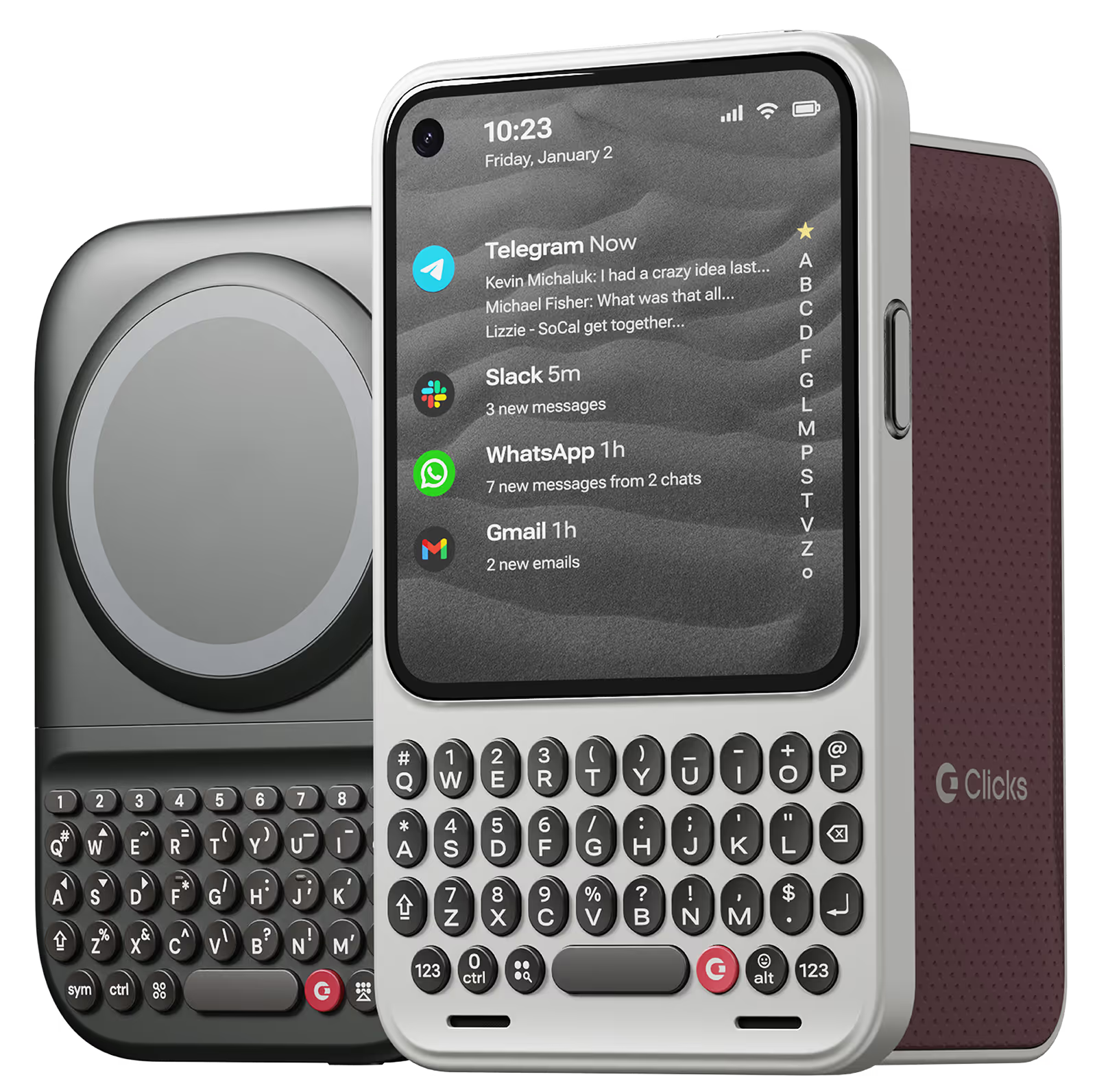
See more screen
Free your screen, with 50% more usable display to work, play, surf, chat and engage with your content.
Replay
4
Take action, faster
Launch customized shortcuts at the push of a button. Personalize your keyboard to control your home, launch apps, text or call contacts.
Replay
5
Keep your laptop at home
Make more happen right from your phone without needing to crack open your laptop.
Clicks for iPhone
ボタンの利便性でiPhoneのパワーを強化。カラーは4色。
In stock & shipping now.
今すぐ購入
Clicks for Pixel
新しい生産性機能とより大きな表示領域でiPhone 14をアップグレード。
Available now.
今すぐ購入
Clicks for Razr
Pocket-sized. Power-packed.
Available now.
Buy Now

Buttons with benefits.

More Screen

Get 50% more usable display to work, play, surf, chat and engage with your content.

Customizable Shortcuts

Launch custom actions at the push of a button.

Powerful Productivity

Real buttons that help you work smarter while away from your desk.

お客さまの声

209件のカスタマーレビューに基づく
Danny Santelana
Clicks Keyboard for iPhone 16

I've missed a physical keyboard since 2014, I am so glad to have one back.

Visit source
Emily G.
Clicks for iPhone 14 Pro

If you do a lot of typing on your phone, this keyboard case is a game-changer. It's like having a mini laptop in my pocket. The buttons are comfortable and responsive, and the layout is intuitive.

Visit source
Jose F.
Clicks for iPhone 15

Hello everyone, I would like to share my opinion on the use of the review for the super good Clicks cover. Honestly, the personal follow-up that you have had for all of us who have purchased the product is a great decision. Thank you very much for that. Also, the website sent for practicing writing is also very good for improving typing." Kudos to All for this product and all the follow ups.

Visit source
Martin B
Clicks for iPhone 14

love the extra screen I get form having the clicks case installed. Took me a couple of weeks to get used to using it, but I find it to be much more accurate than the on screen keyboard. It always attracts a lo of attention when I take out my phone. The one improvement that I would like to see is the pond sign added, as that iOS the only time I go back to the on screen keyboard.

Visit source
sine C.
Clicks for iPhone 14 Pro

Love it

Visit source
Douglas Romeo Falle
Clicks Keyboard for iPhone 15

I purchased Clicks keyboard for Iphone 15 and been using it on my Iphone 16e. It is working on all aspect and very smooth to use. It is easy to use at about 1 week of daily use. The only downside is when using it with Tiktok.

Visit source
Mark Y.
Clicks for iPhone 15 Pro

As a freelance content creator who spends a lot of time on my iPhone, I was skeptical that a mobile keyboard could improve my workflow. But the Clicks Keyboard blew me away. It's like having a mini laptop in my pocket. Typing is fast and accurate, the customizable shortcuts are a game-changer (goodbye, repetitive tasks!), and the battery life is impressive. Plus, the build quality is ultra-premium.

Visit source
Suwon J.
Clicks for iPhone 15 Pro

Surprised how using this physical keyboard instead of a virtual-like touch screen keyboard brings me a solid state of mind. Using this thing is now every day joy in my life. Thanks so much.

Visit source
DanCiesla
Clicks for iPhone 15 Pro

The Clicks case is fantastic! I absolutely love using it to send emails, take notes, and send texts. I’ve only been called a “boomer” six times since I put it on!

Visit source
Mohammad S.
Clicks for iPhone 15

I have received & used your product, unfortunately i have faced two issues: - phone size 15 pro max after adding keyboard became really oversized for daily use. - as Arab country you need to add arabic letters for easier experience.

Visit source

Clicks has you covered.
Try for 30 days.

It takes a week or two to get used to typing on real buttons –  you’ll need a little bit of patience and perseverance. Trust our tens of thousands of customers, it’s so worth it!

If it’s just not for you, we’ll give you your money back, no questions asked.