


Click into the keyboard








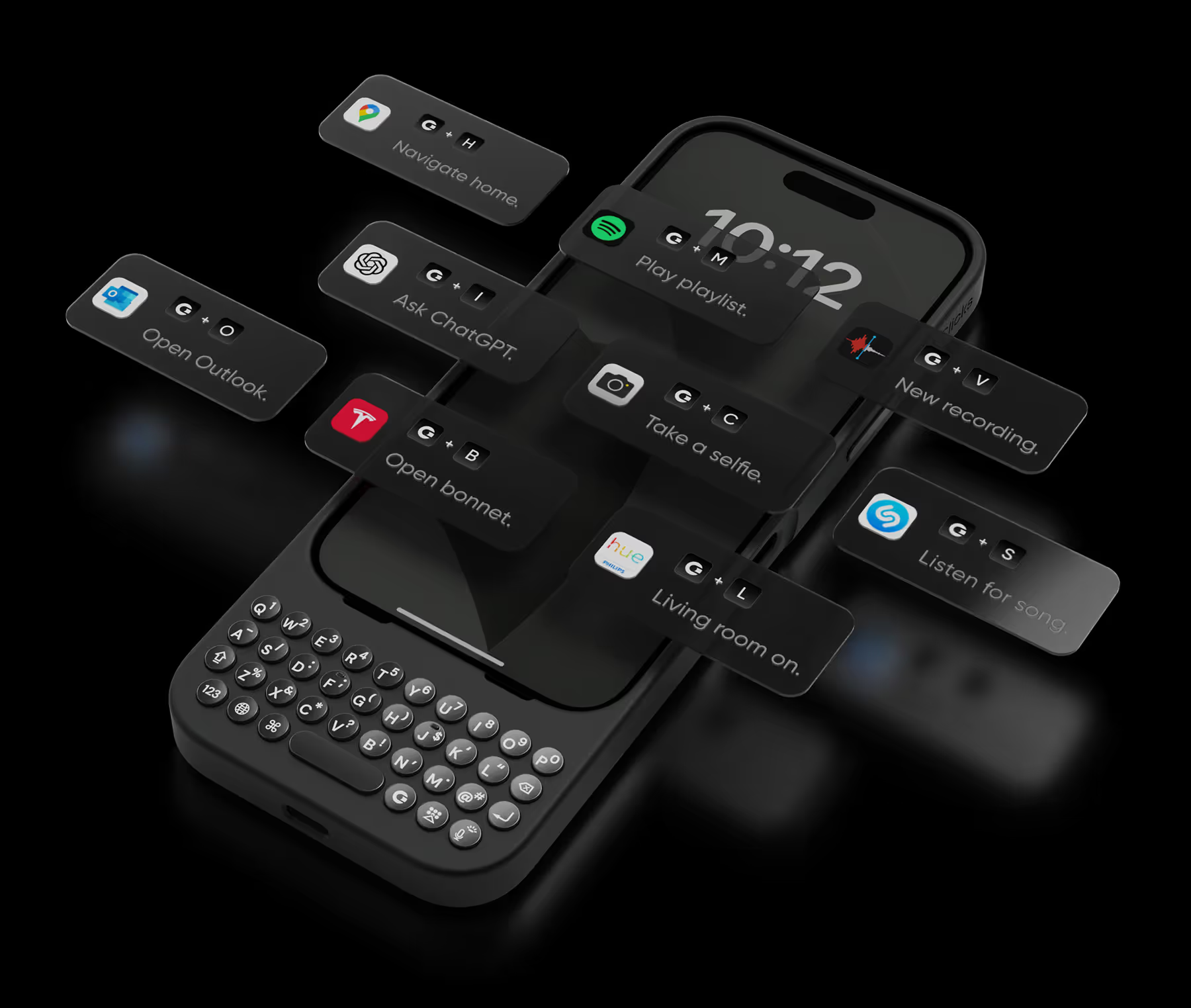


Absolutely love this keyboard case! It makes typing on my iPhone so much faster and more accurate than the touchscreen ever could. The keys have a satisfying click and feel great under my fingers. Plus, the backlight is a lifesaver for late-night emails. Super happy with this purchase!

This is the ultimate case for an iPhone power-user or techno-addict. The ability to customize the keyboard integrated with Shortcuts is superb. Increased usable screen space is quite useful.
I love my Click's case. I was worried that the added length would be weird, and it stopped me from buying a few times, but I pulled the trigger and am happy I did. Having the physical keyboard is a game changer. Out of the box the keys felt muted and soft, but after using it for a bit they became crisp and clicky. It's hard to explain, but I am so happy with my purchase.
Really good clicking experience when typing like in the old Blackberry or Palm devices I miss a lot. The design is perfect and de drawback of the increased size is completely compensated with the fact of happiness and satisfaction of shortcuts, full keyboard access possibilities and the use of messenger apps with full screen available all the time. It worths every cent even not being cheap at all. Keep going! Click team!
I love the feedback of real buttons. It's so satisfying! Instead of getting my laptop out for longer messages, now I can just use my iPhone with Clicks.
Absolutely love Clicks !! As someone who appreciates tactile feels, the joy of having physical keys on my phone brings me back to the happy innocent days . Combining it with Razr gives me the best of bothworlds. The convenience of a flip phone and having a physical keyboard. I really hope that Gen 2 will have move customisable buttons and include home and back button so the only time I touch my phone screen will be to have a closer look at that weird thing on my skin ! Thanks Clicks for the creation Special thanks and credit to Amber from Support who sorted out the delivery issues faced.
Clicks is a lifesaver for remote work on the go. One of the most frustrating parts of working remote is still feeling glued to a laptop. If there's an urgent email or message I can respond from my phone but it can get tricky to accurately respond when I have to keep juggling reading the entire message or typing. Aside from any practical justification Clicks is just plain cool. It feels good to well click!
The clicks keyboard is a wonderful item, it really is. I enjoyed working with it for a few days, however, there are some cons that I think need to be worked on. First, let me say that it was wonderful to use an actual tactile keyboard once again, and the shortcuts make using the keyboard very easy if you can get used to them. A couple of things that I think need to be worked on; I know it’s not marketed as a phone case, but it really does not give the phone much protection if it should happen to fall. I did not like the fact that I could not use my plug in ear pods and that I could not use CarPlay with a cord. CarPlay works fine with Bluetooth, but on long trips, you cant plug it in which means you would have to take it out of the case, which can be a little annoying and cumbersome. Also, I think it could be a little bit more weighted on the bottom because it seems a bit top-heavy since it’s so long and slender. If these cons ever get worked out with clicks, I would absolutely, 100% purchase another one for my iPhone 15.
Outside of the nostalgia of having a keyboard, this case is by far the most handy accessory to have with an iPhone. I have more screen now, and even use my phone for programing on the go. This is an excellent invention and I hope for more. Clicks It would be neat if you came up with a MagSafe folding wallet accessory to go with this. Way more space of more cards. Id buy it in an instant!
Having the keyboard is very agile and using it on the folding phone gives you the option of using it folded, improves the experience and unfolding it makes a large screen. I liked the design and the color! Highly recommended!


.webp)


.avif)

.avif)
.avif)
.avif)


