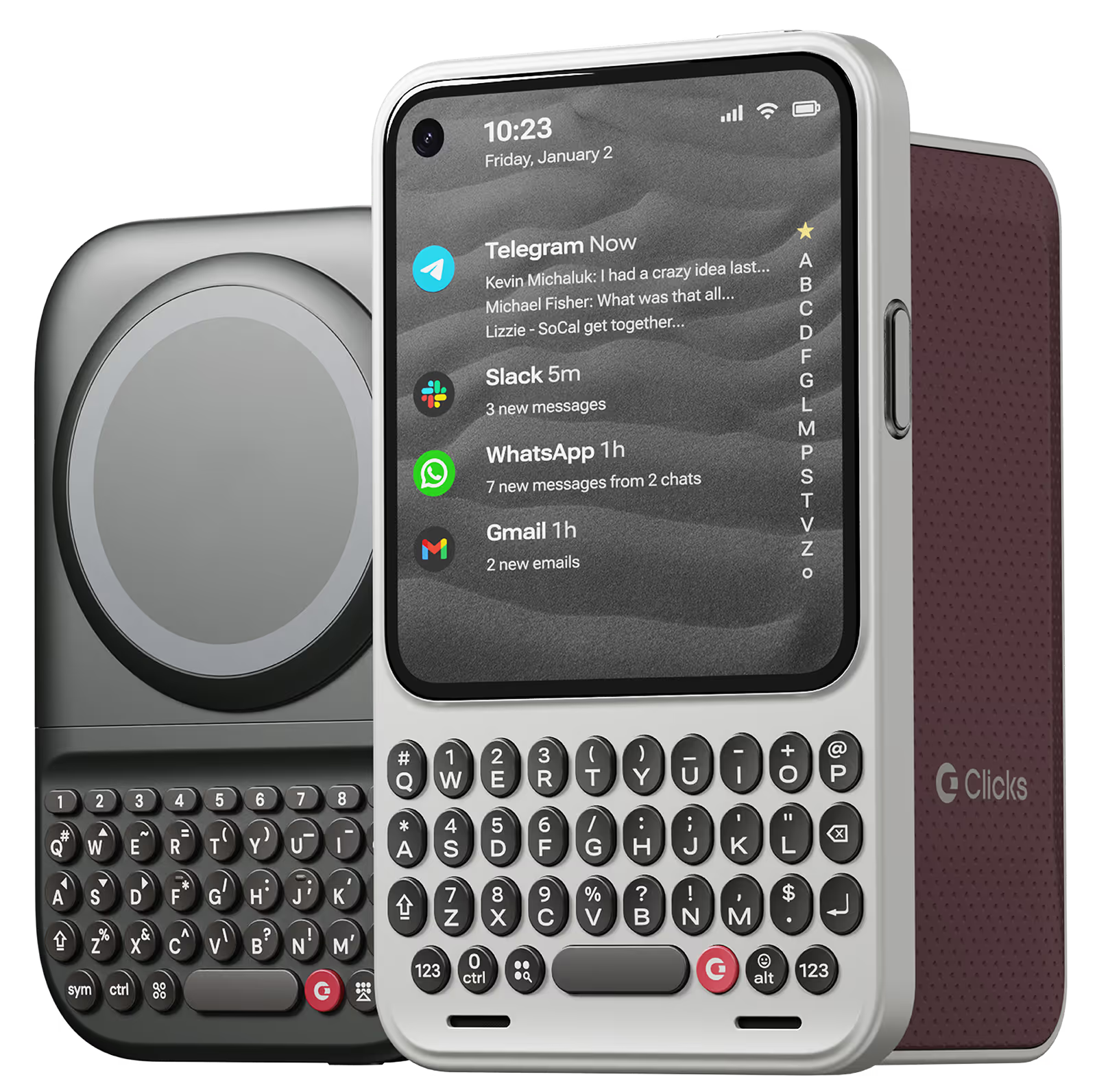
Why you'll love Clicks.

1
Feel satisfying real buttons
Pressing real buttons and hearing that little clicking sound feels more natural and rewarding.
Replay
2
Elevated premium protection
Brushed metal side keys, a microfibre lining, and a new enclosure that feels great while adding protection inside and out.
Replay
3
See more screen
Free your screen, with 50% more usable display to work, play, surf, chat and engage with your content.
Replay
4
Take action, faster
Launch customized shortcuts at the push of a button. Personalize your keyboard to control your home, launch apps, text or call contacts.
Replay
5
Keep your laptop at home
Make more happen right from your phone without needing to crack open your laptop.
Clicks for iPhone
Available for iPhone 17, 16, 15 and 14.
In stock & shipping now.
Buy Now
Clicks for Pixel
Pixel-perfect productivity.
Available now.
Buy Now
Clicks for Razr
Pocket-sized. Power-packed.
Available now.
Buy Now

Buttons with benefits.

More Screen

Get 50% more usable display to work, play, surf, chat and engage with your content.

Customizable Shortcuts

Launch custom actions at the push of a button.

Powerful Productivity

Real buttons that help you work smarter while away from your desk.

What Clicks users are saying.

Based on 5,328 user reviews.
Oliver J A
Clicks Keyboard for iPhone 16

I absolutely love the tactility of Clicks Keyboard. Brings me back to my BlackBerry days, but with more technological capabilities. Prior to purchasing the keyboard I had an iPhone 12. I loved the aesthetics of the keyboard so much that I upgraded to the 16 Pro just so I can have a keyboard. Love my Clicks!

Visit source
Kyle H.
Clicks for iPhone 15

Customer service, shipping time frame, and their carrier to get shipments to USPS suck. With that being said, typing on this keyboard is 100% worth it. I was so bored with my iPhone but hate the android operating system. This keyboard has made me the it girl and I am serving 2000s chic.

Visit source
ILSOO S
Clicks for iPhone 15

I don't need old blackberry phone anymore

Visit source
Tom K.
Clicks for iPhone 15 Pro

I work on a Mac and use shortcuts extensively. I never expected to be able to use them on my iPhone. It's insane how many shortcuts are in iOS for the iPhone. Who knew?! Clicks basically turned my iPhone into a mobile computer that fits in my hand. Totally changed how I use my iPhone. I never owned a BlackBerry or used a button phone before so it took me a couple weeks to get up to speed on it but now it's weird if I try and go back to using my iPhone without Clicks. Total Clicks convert!

Visit source
Edward H
Clicks for iPhone 16 Pro Max

This baby gives you a bigger screen and a real keyboard, perfect for any kind of business user or is you simply have fat fingers !

Visit source
Marshall H.
Clicks for iPhone 15

I use the clicks at home, it's great to have the keyboard especially if you use apps like Superhuman that are heavy on shortcuts. In general, it's got a nice tactile feel, reminiscent of the good-old Blackberry keyboard. When I leave the house, I usually switch for a typical Apple magsafe case will alternate back and forth as I need. Things I'd like to see in the future: trackball for the cursor, magsafe support, add a flexible joint at the top for getting the phone in and out, built in battery.

Visit source
Susan Sides
Clicks Keyboard for iPhone 14

The keyboard is great. It takes a little bit to get accustomed to the size. But it works great! Overall I think it was well worth the wait.

Visit source
Erika F.
Clicks for iPhone 14 Pro

I love the feedback of real buttons. It's so satisfying! Instead of getting my laptop out for longer messages, now I can just use my iPhone with Clicks.

Visit source
Ibrahim Arsy
Clicks Keyboard for iPhone 15

I'm really impressed with Clicks Keys for iPhone 15 Pro Max. It helps me a lot to type better at work, where I'm supposed to wear gloves that prevent typing through my screen effectively. It is also making my phone stand out. The quality is amazing, and the feeling of the button feels amazing. It takes time to get used to it, but once I get used to it, I don't want to go back. The case is also easily removable if I want to exercise.

Visit source
Chris W.
Clicks for iPhone 15 Pro

Thanks for handling the return without any hassle.

Visit source

Clicks has you covered.
Try for 30 days.

It takes a week or two to get used to typing on real buttons –  you’ll need a little bit of patience and perseverance. Trust our tens of thousands of customers, it’s so worth it!

If it’s just not for you, we’ll give you your money back, no questions asked.